Minimal Powerpoint Template: A Designer's Guide to Clean, Modern Slides
There's a certain confidence that comes with a presentation that doesn't try too hard. You've seen it before: the slide deck where every element breathes, where the content has room to speak, and where the audience isn't distracted by unnecessary ornamentation. That's the space the Minimal Powerpoint Template occupies. It's not just another set of slides—it's a design system built for people who understand that clarity often wins over complexity.
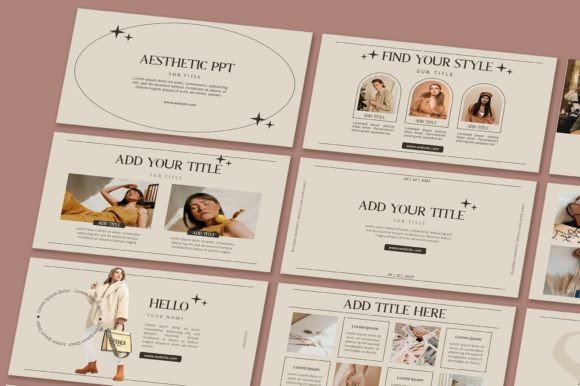
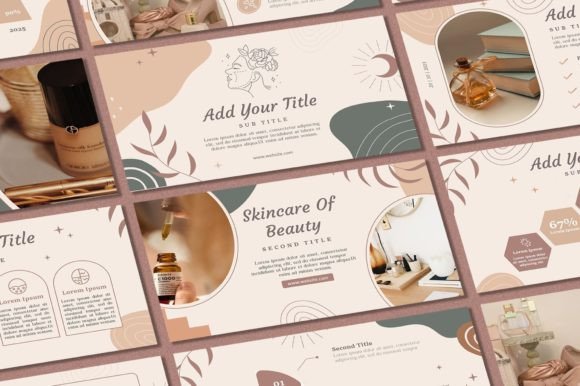
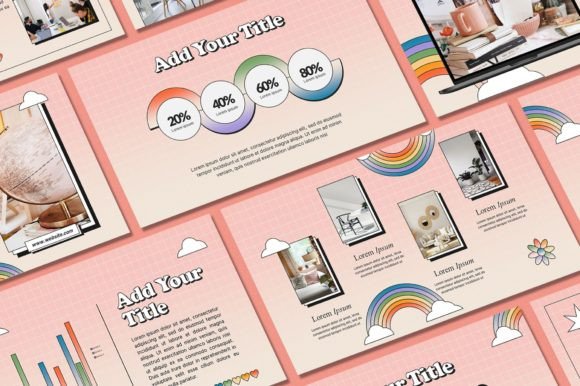
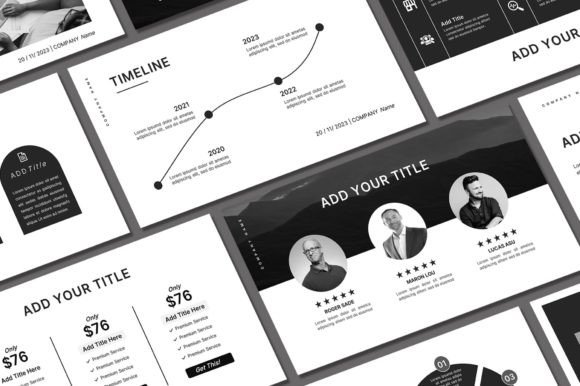
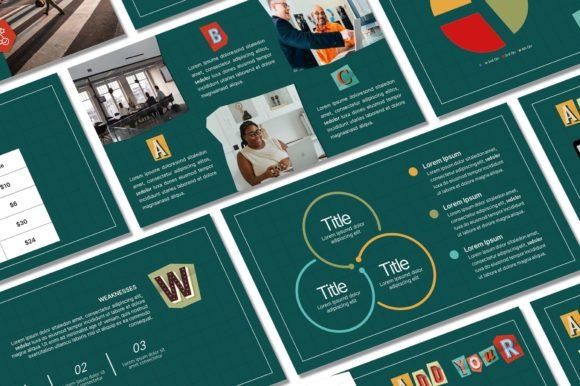
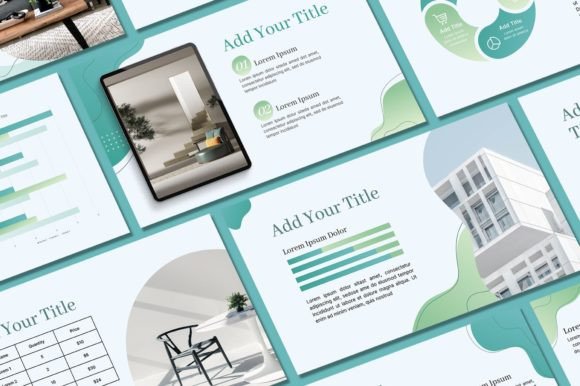
This template ships with 57 unique slides, over 400 free icons, and a 16:9 aspect ratio that fits modern screens perfectly. Demo pictures are included so you can see the layout potential right away, and every graphic element remains fully editable. Whether you're pitching investors, presenting quarterly results, teaching a workshop, or building a brand portfolio, the structure here gives you a professional foundation without the hours of starting from scratch.
What Makes a Minimal Template Actually Work
Minimalism in design isn't about removing things until nothing's left. It's about removing things until only the essential remains. The Minimal Powerpoint Template follows this principle with generous white space, clean typography, and a restrained color palette that you can adjust to match any brand identity. The layouts use grid-based alignment, which means your text and images sit in balanced compositions rather than floating randomly across the slide.
What you'll notice immediately is the visual hierarchy. Headlines anchor each slide with weight and presence, while body text sits comfortably beneath in a size that's readable from the back of a conference room. This kind of intentional spacing and contrast is something professional designers spend hours refining—and it's already built into each of the 57 slides.
The included icons deserve attention too. Over 400 of them cover business, technology, communication, and creative categories. They're line-style icons that match the minimal aesthetic, so you won't need to hunt through stock sites for graphics that feel cohesive. Drop them into your slides, resize them, change their color—they're vector-based and editable.
Where This Template Shines Across Industries
Entrepreneurs building pitch decks will find the slide variety particularly useful. There are layouts for team introductions, product showcases, data visualization, timelines, and service breakdowns. You don't need to reinvent the wheel each time you add a new section to your presentation. The structure is there; your job is to fill it with your story.
Marketers and content creators can use the Minimal Powerpoint Template for social media strategy presentations, campaign recaps, or client proposals. The clean design ensures that your data and insights remain the focal point. When you're presenting performance metrics or brand guidelines to a client, cluttered slides undermine your credibility. This template sidesteps that problem entirely.
Small business owners often lack a dedicated design team, and that's exactly where a well-crafted template earns its value. Whether you're creating a training manual for new hires, a product catalog for a trade show, or a quarterly update for stakeholders, the consistent visual language across all 57 slides means your materials look polished and unified. That consistency reinforces your brand perception in ways that matter—trust, professionalism, and attention to detail.
Educators, bloggers, and publishers benefit from the template's readability. The font sizes, line spacing, and contrast ratios are tuned for actual screen viewing, not just for looking good in a thumbnail. If you're recording a webinar or presenting at a virtual conference, these practical considerations make a real difference in how your audience absorbs information.
Customizing the Template for Your Brand
Getting started is straightforward. After purchasing the listing, you'll receive an email from Etsy with a download link. The process routes you through a PDF file with a direct button to Google Drive, where the actual PPT file lives. Download it, install the included fonts on your computer, and open the file in Microsoft PowerPoint.
From there, the customization options are wide open. You can change text and text colors, swap fonts, adjust background colors, insert your own photos, and add your logo. The editable graphics mean you can reshape elements, recolor icons, and adjust layouts to fit your specific content. If your brand uses a particular sans serif font paired with a script accent, you can apply that pairing across every slide in minutes.
A practical tip: before you start editing, duplicate the original file. Keep one untouched version as your master. This way, if you need to create a new presentation later with a different color scheme or layout, you're not rebuilding from memory. Professional designers do this with every template they work with, and it saves considerable time down the road.
Requirements and Things to Know
You'll need a PC or laptop with Microsoft PowerPoint installed. The template is designed for PowerPoint specifically, so while some elements may translate to Google Slides or Keynote, the full editing capability lives within PowerPoint. Make sure you install all the font files before opening the PPT file—otherwise, PowerPoint will substitute default fonts and the layouts will shift.
Find a comfortable workspace where you can focus. Presentation design benefits from uninterrupted attention. When you're aligning elements, choosing color values, and refining your message, even small distractions can lead to inconsistencies across slides.
One important note on usage: all designs are copyrighted to Sky Creation. The template is licensed for personal use and may not be resold or redistributed. This protects the creative work while giving you full freedom to use it for your own projects, presentations, and business needs.
Getting the Most Out of Your Investment
The real value of a template like this isn't just the slides themselves—it's the time you reclaim. Instead of spending three hours building a presentation framework, you spend thirty minutes customizing one that already works. That efficiency compounds across every presentation you create throughout the year.
If you have questions about the file, customization options, or how to adapt specific slides for your needs, Sky Creation welcomes direct messages. Working with a responsive designer behind a template adds a layer of support that purely automated marketplaces can't match.
For anyone building a brand identity, presenting to clients, or simply wanting their slides to look like a professional designed them, the Minimal Powerpoint Template offers a practical, well-structured starting point. It respects your time, respects your audience's attention, and gives you the tools to present with clarity and confidence.